Using the Correct Colours – Black vs Rich Black
We often use two types of black when designing artwork. Standard 100% black and ‘rich black’. When we use rich black, a percentage of cyan, magenta and/or yellow ink is mixed with the black. The additional saturation of colour creates a rich black that will print darker than black ink alone.
It is very important to use the correct ‘black’ when designing. ‘Black’ colour swatches can appear to look the same on screen. However, setting up and using the wrong type of black can result in artwork printing incorrectly.
The following examples present some common design scenarios and solutions for dealing with colour issues involving black.
EXAMPLE 1: Black Backgrounds and Images
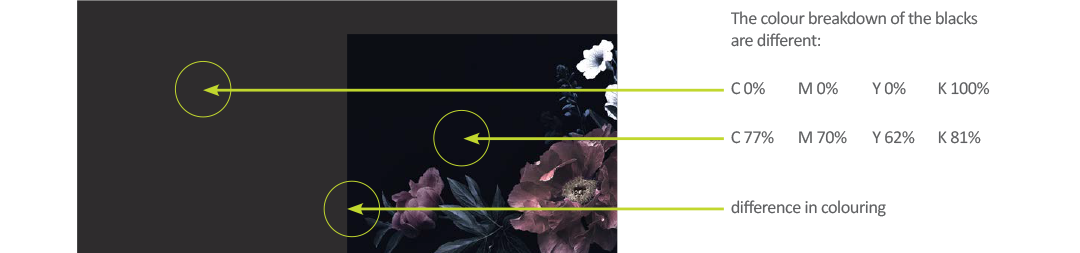
Let’s start with a 100% [Black] solid background and place a CMYK image containing a ‘black’ background on top of the background.

When the design is exported for print, the edges where the image meets the background will not blend together. A clear line of colour difference will show up on the final file.
SETTING UP A RICH BLACK IN YOUR LAYOUT PROGRAM
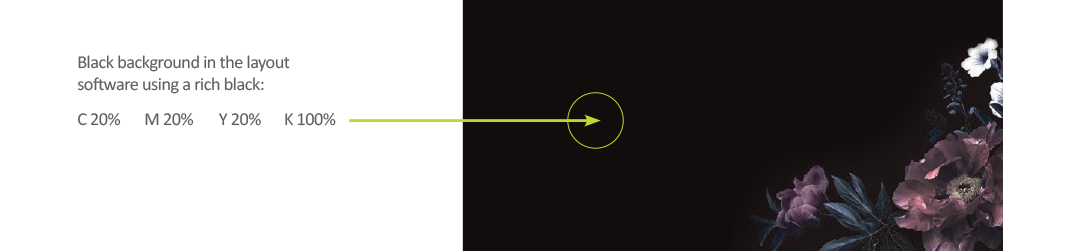
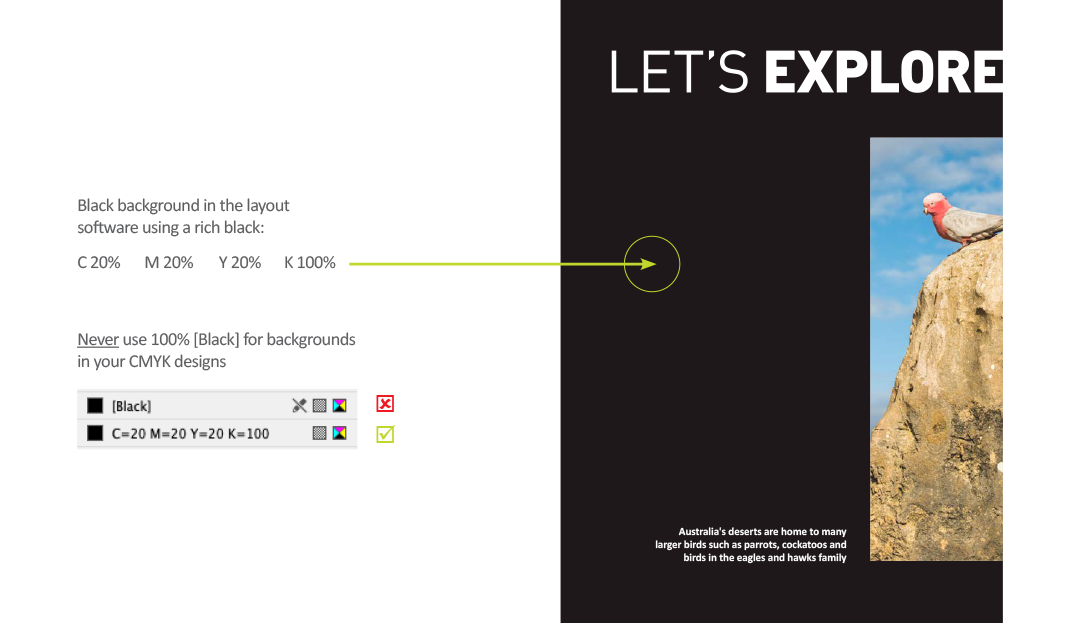
Big areas of 100% black ink will print very dull. When printing in CMYK, we should use a rich black for better results. At Bright Print Group, we suggest a CMYK breakdown of: C 20% M 20% Y 20% K 100%.
It is useful to create a rich black swatch within your design file with these values to ensure consistency in your design.
BLACK BACKGROUNDS IN RASTER IMAGE FILES
When we use pictures with ‘black’ backgrounds, the colour breakdown is often a mix of cyan, magenta, yellow and black. Without a doubt, every image will have varying colour breakdowns. Before placing an image into your layout, edit the image file so the 'black' has closer color values to the rich black background it will be placed on.
With an understanding of what a rich black is, the below solution demonstrates how the problem in our example can be fixed.

When the image is placed on top, the black background of the image will blend smoothly with the black background of the layout file.
EXAMPLE 2: Designing with Black
This CMYK artwork layout contains a large area of black. This ‘black’ area should be set to a rich black for optimum print result.
EXAMPLE 3: Black Text
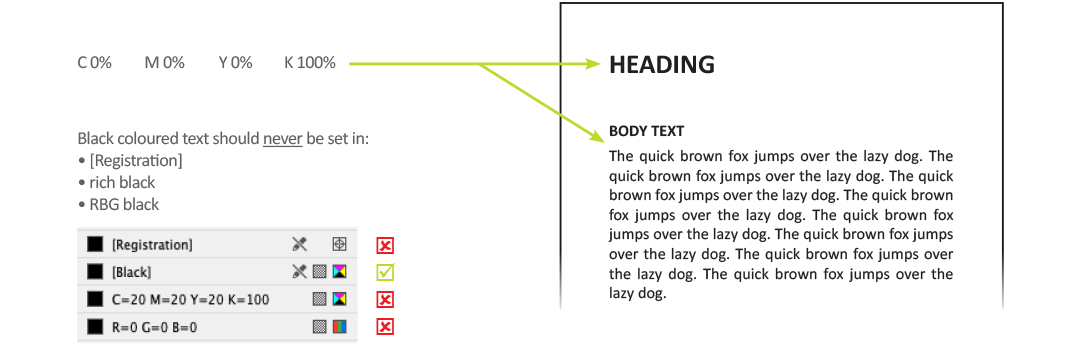
When typesetting in black text, the colour used should be 100% [Black].
If you have any questions concerning the blacks used in your artwork, contact Bright Print Group and our prepress department can check your colour set-up before it goes to print with us!